Pitan Boardgame
Swea Rike
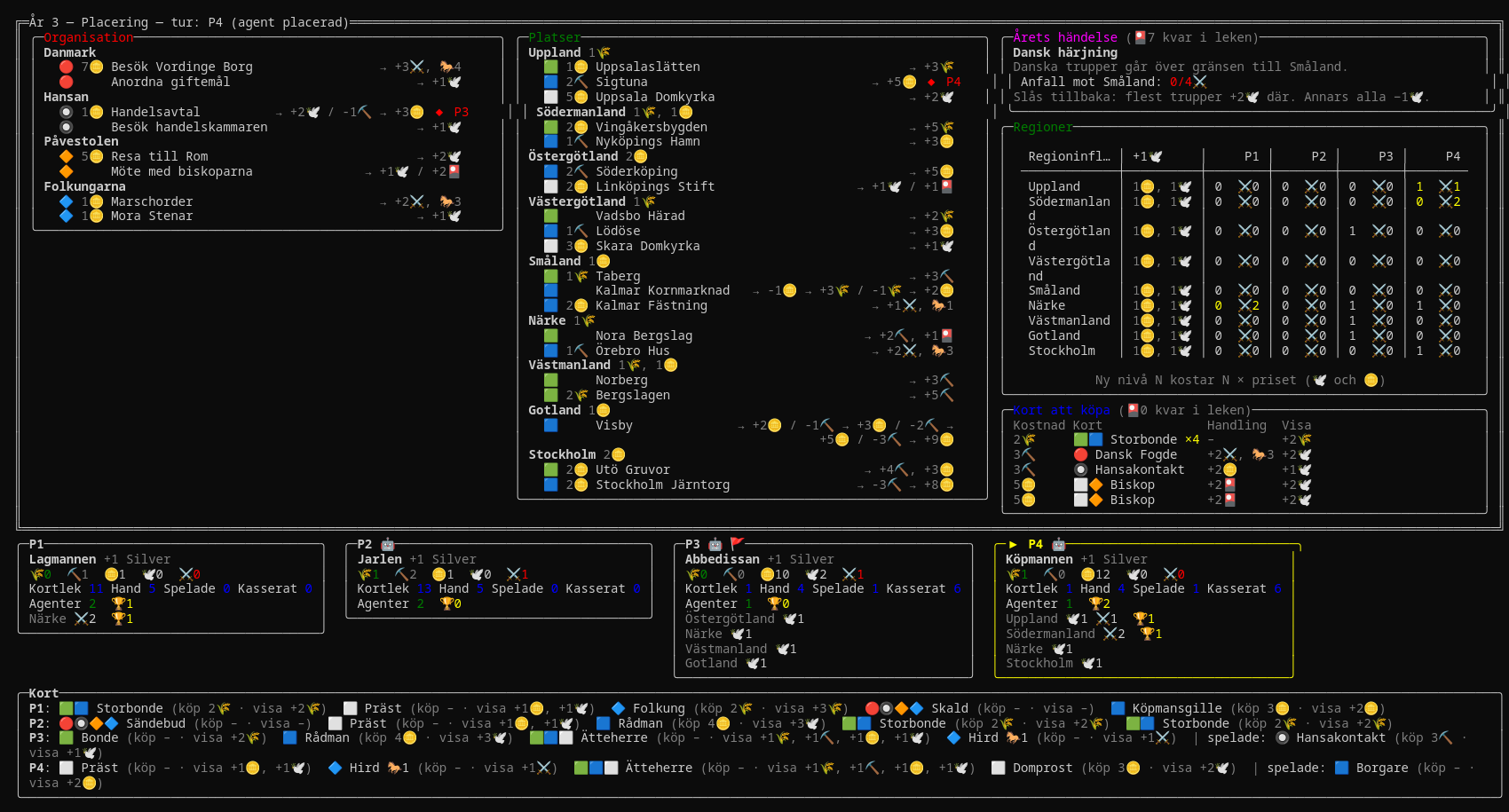
Lead a Swedish clan, spread your might and political influence over medieval Sweden, and forge the realm of Swea. Deckbuilding meets worker placement — played in your terminal.
Latest version: …
Rules
Draw five cards a year, send agents to farms, mines, towns and churches, then reveal your hand to buy cards and raise influence. Control regions for victory points. Read the rules →
Install
On Linux (x86_64): Fedora or another dnf-based distro, or Debian, Ubuntu or another apt-based distro. Run:
curl -fsSL https://swea.pitan.net/install.sh | bash
On Windows (x64), in PowerShell:
irm https://swea.pitan.net/install.ps1 | iex
Then start a game:
swea
Want to read it before running it? View install.sh or install.ps1. On Linux it asks for sudo to add the package repository and install the package; on Windows it needs no admin rights.
Set up a game
swea opens a start menu. Pick a line to change it, then choose
▶ Starta spelet to start:
- Frö (seed): which game you get. The default is 42; the same seed and seats always give the same game.
- Antal spelare: 2, 3 or 4 players.
- P1 … P4: who plays each seat. Each pick cycles through Människa (you, or a friend at the same keyboard), Bot (girig) and Bot (slump).
The default is you as P1 against three greedy bots.
Greedy bots try every legal move and take the one that looks best. Random bots play any legal move, an easy opponent.
Bots take their turns on their own, and each move they make is listed under the board, marked 🤖. You still start each year, draw cards and close the year. Make every seat a bot to watch them play each other.
Skip the menu
Pass --seed or --bots to set up from the command line instead.
This always has four seats, P1 to P4; the ones you list in
--bots go to greedy bots and you play the rest:
swea --seed 42 --bots P2,P3,P4
Add :random to a seat for a random bot:
swea --seed 42 --bots P2,P3:random,P4:random
The same --seed gives the same bots, so a game can be replayed.
Download
Prefer to install by hand? These always point at the latest build (…):
- Windows x64 (.zip)
— unzip and run
swea.exe - Fedora / RHEL x86_64 (.rpm)
—
sudo dnf install ./swea-x86_64.rpm - Debian / Ubuntu amd64 (.deb)
—
sudo apt install ./swea-amd64.deb - Other Linux x86_64 (.tar.gz)
— needs ICU (
libicu) installed
A hand-installed package doesn't update itself; the install scripts above add
the package repository so your package manager keeps swea current.
The Windows swea.exe isn't code-signed yet, so Windows may warn
before running it.
What the script does
On Linux it first downloads the signing key from dl.pitan.net and checks its
fingerprint. The same key signs the packages and the repositories:
C35D 14AD A0D5 13C8 234B 29B7 CB48 5D14 E185 D4F8
Then, on Fedora and other dnf-based distros:
- Imports the key with
rpm --import. - Adds the
swearepository to/etc/yum.repos.d/. - Installs
sweawith dnf, or upgrades it if it's already there.
On Debian, Ubuntu and other apt-based distros:
- Saves the key to
/etc/apt/keyrings/swea.asc. - Adds the
swearepository to/etc/apt/sources.list.d/. - Installs
sweawith apt, or upgrades it if it's already there.
If you installed from the older gitea-klas repository, it moves that
repository definition aside (renamed to .bak).
On Linux the package is a self-contained binary at /usr/bin/swea.
On Windows the script downloads the latest swea.exe to
%LOCALAPPDATA%\Programs\swea and adds that folder to your user PATH.
Use Windows Terminal: the board uses emoji.
None of them need a .NET runtime.
Update and uninstall
Fedora (dnf):
sudo dnf upgrade swea
sudo dnf remove swea
Debian / Ubuntu (apt):
sudo apt update && sudo apt install swea
sudo apt remove swea
Re-running the install script also upgrades to the latest build, on Windows too.
To remove the repository, delete /etc/yum.repos.d/swea.repo
(dnf) or /etc/apt/sources.list.d/swea.list and
/etc/apt/keyrings/swea.asc (apt). On Windows, delete
%LOCALAPPDATA%\Programs\swea and remove it from your user PATH.